Open a station
Choose a familiar place: a local folder, a network share, or an SSH/SFTP server.
 PocketOwl
A native utility for macOS
Collect files in a temporary pocket, choose a destination, and move them without reorganizing your desktop around the transfer.
Free edition · Up to three stations · No account required
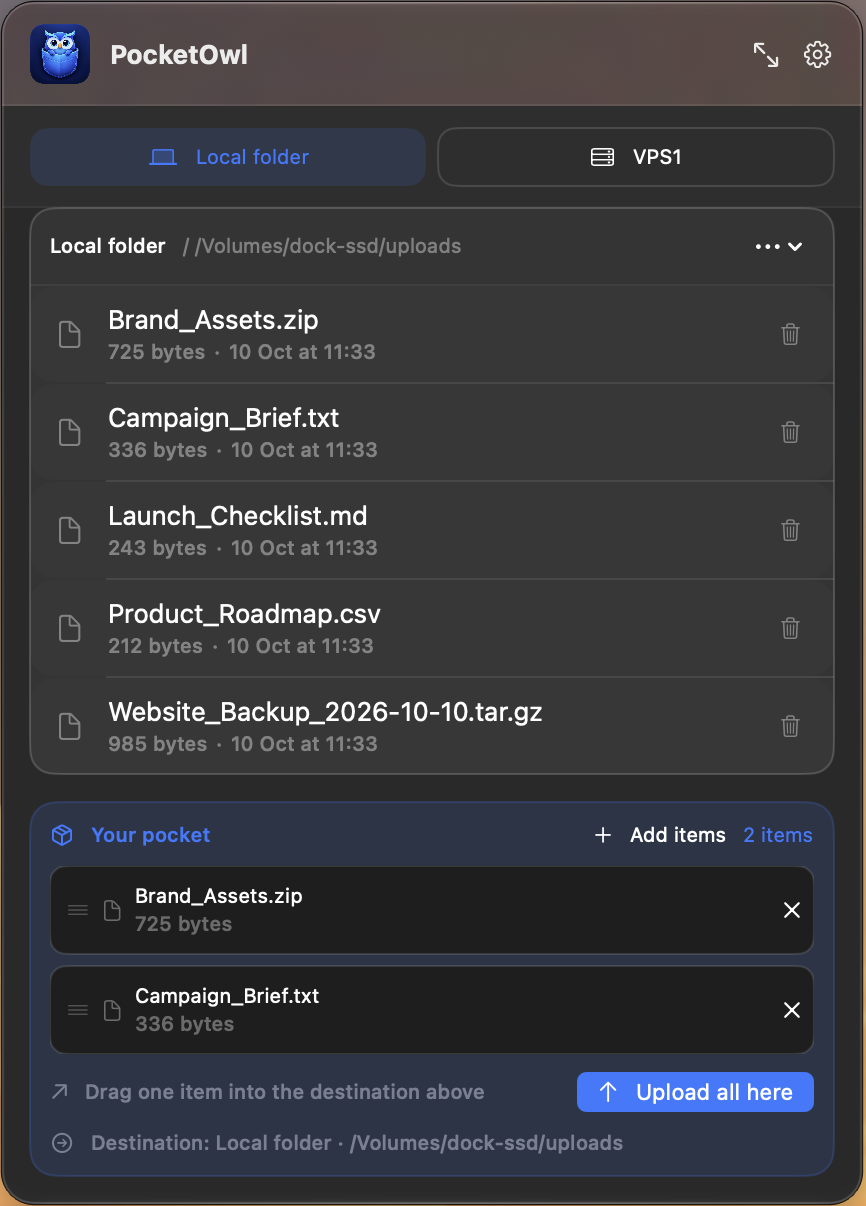 The pocket workflow
Gather first. Choose the destination when you are ready.
The pocket workflow
Gather first. Choose the destination when you are ready.
The real app
Work from the menu bar for a quick transfer, or expand PocketOwl into a full window when you need more room to browse and monitor your route.
See every workflow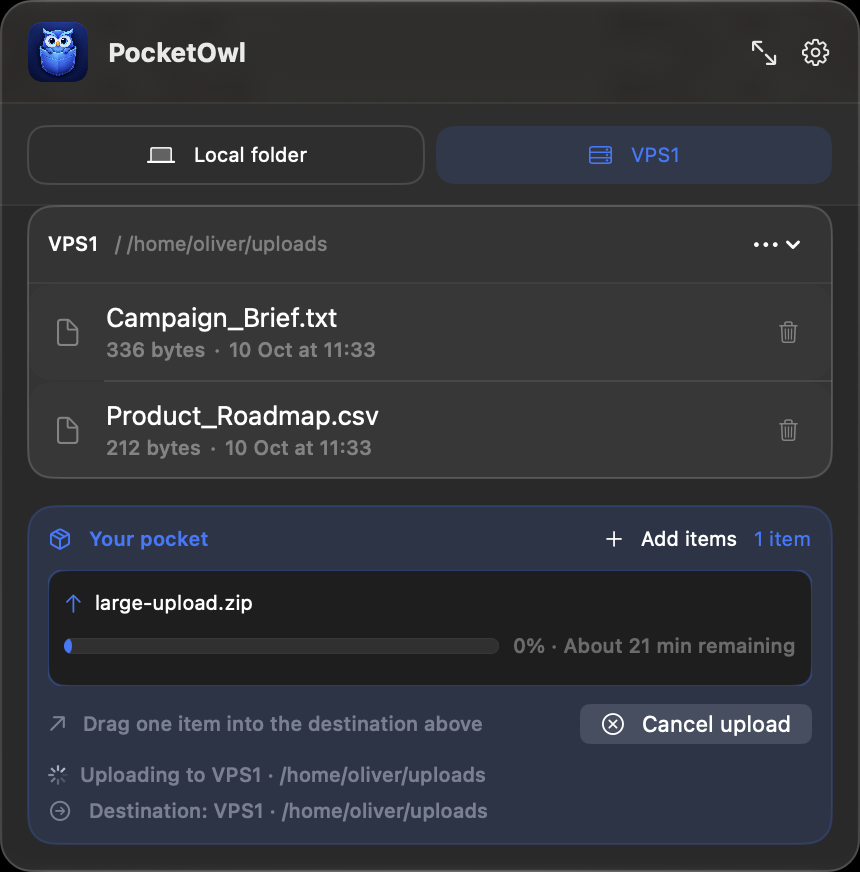
The simple route
Choose a familiar place: a local folder, a network share, or an SSH/SFTP server.
Drag in the files and folders you want to carry. Each item shows its own progress.
Switch stations, choose the folder, and upload—with progress and safe cancellation.
Quietly capable
Work with local folders, SMB network shares, and SSH/SFTP servers from one consistent interface.
Your Mac connects directly to destinations you configure. PocketOwl is not a relay or cloud storage service.
Credentials stay in macOS Keychain, folder access follows macOS permissions, and SSH host keys are pinned.
Use the full pocket workflow with up to three stations—enough for a practical everyday route.
PocketOwl 1.0
The first macOS release is being prepared for App Store submission.